Fake Brains Software
From Sales Order to Print-Ready Page.
AccountScout Production Suite by Fake Brains is the ad dummying and newspaper pagination software that places booked ads on the right pages and builds them to spec inside Adobe InDesign. It routes every proof through design, sales, and advertiser approval from one queue. Built for newspaper designers, production managers, and the publishers who answer for the deadline.
The Four Tools
ProofScout - Electronic Proofing
- Status swim lanes: Design Ready -> Waiting for Sales -> Waiting for Advertiser -> Needs Changes -> Completed
- Designers see new and revised orders automatically
- Sales reps approve or reject from their dashboard
- Advertisers can review and approve proofs online via the Advertiser Portal
- Full change history - who said what, when
- Email notifications with the proof attached
See it in action
Digital Asset Manager
- All assets stored in the database - accessible from anywhere
- Retrieve graphics from any previous order (not just same advertiser)
- Track design stages to model your workflow
- Multiple designers can access simultaneously
- Camera-ready and in-progress ads visible to all staff
See it in action
AdScout - InDesign Ad Building
- Ad metrics, instructions, and assets load directly from the order
- Accurately sized artboard - no guessing at column widths or gutters
- Publication-specific mechanics handled automatically
- "Ready to Proof" script generates a PDF and emails it to the sales rep
- "Ready to Publish" delivers the final ad back to AccountScout
- Works with your existing InDesign workflow
See it in action
PageScout - Automated Page Layout
- Create page plans with templates or from scratch
- Auto-place ads by section, color, and percentage fill
- Drag-and-drop for manual adjustments
- Flow classifieds and legals with formatting rules
- Export as zip -> import to InDesign with one script
- Track missing ad copy and deadline status
- Color page management (toggle color/B&W per page)
See it in action
PROOF
What it did for one weekly paper.
One publisher's results after putting the Production Suite in - not an average, and not a projection.
- 9h to 5.5h
- Ad and page work for a single issue
- ~182 hours
- Returned to the production desk each year
- 3x faster
- Ad placement on issues with sixty or more ad pages
- Within a week
- Designers productive after adoption
“PageScout completely transformed how we manage our page layout. It has saved us an exceptional amount of time. And I haven't even put a pencil to how it has benefitted the newsroom.”
ADSCOUT
AdScout: the order builds the artboard.
Ad metrics, instructions, and assets load straight from the order onto an accurately sized artboard — no guessing at column widths or gutters, and no retyping a work order before a designer can start drawing.
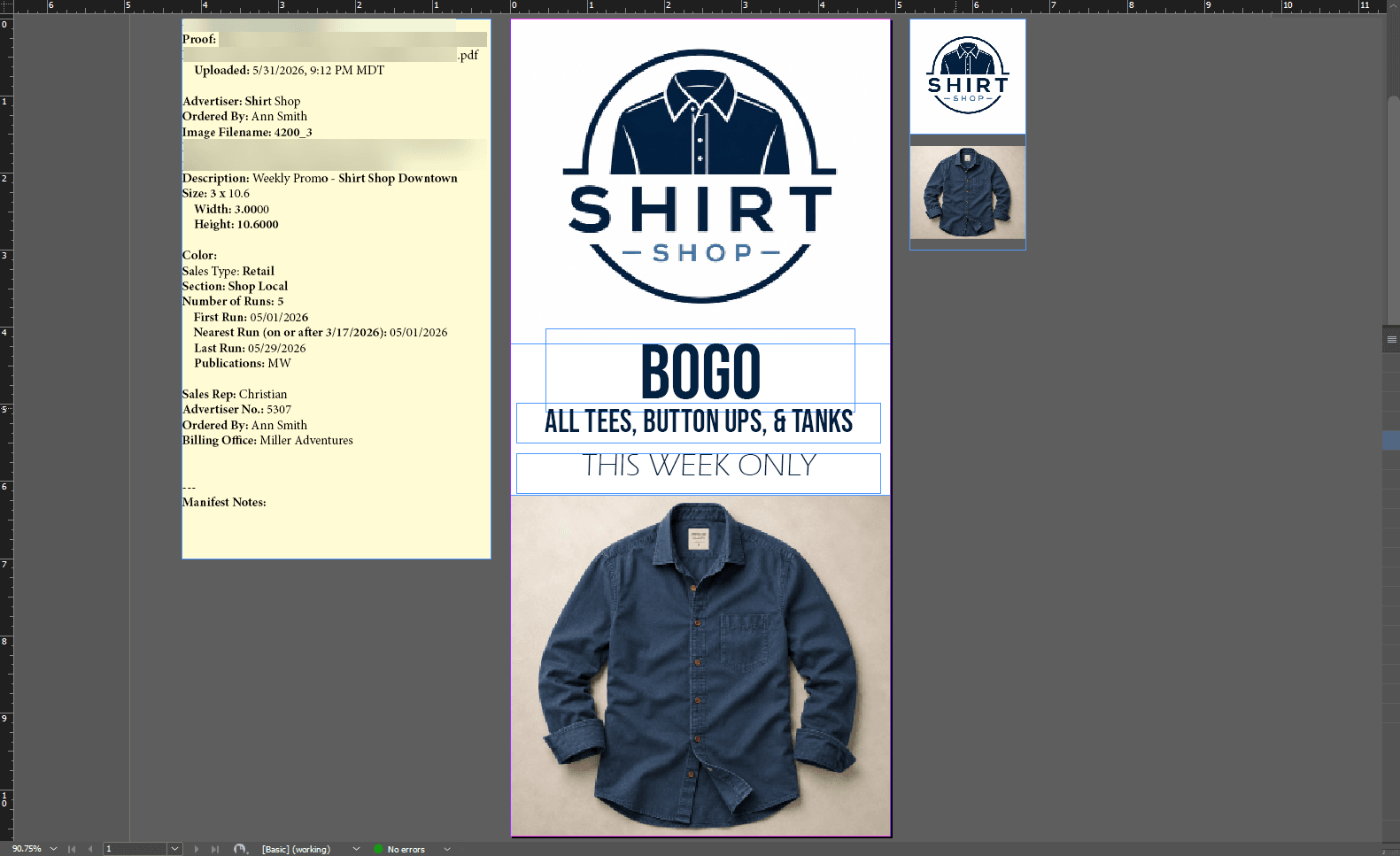
- Ad metrics, instructions, and assets load directly from the order
- Accurately sized artboard — no guessing at column widths or gutters
- Ready to Proof generates a PDF and emails it to the sales rep
PROOFSCOUT
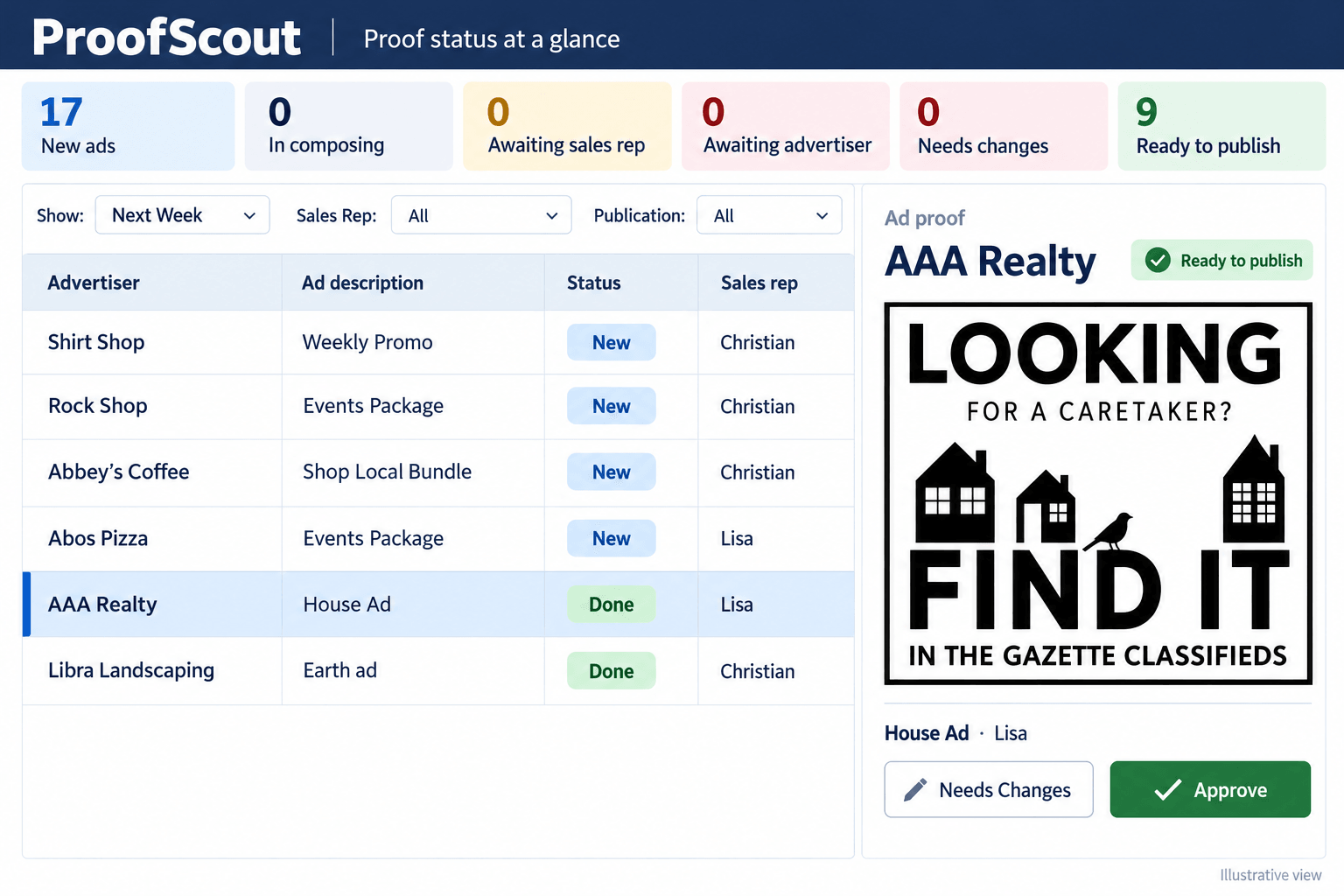
ProofScout: proof status at a glance.
Every ad in the queue sits in a status lane — design ready, waiting for sales, waiting for the advertiser, needs changes, completed — so nobody has to ask where a proof is.
- Designers see new and revised orders automatically
- Sales reps approve or reject from their dashboard
- Full change history — who said what, when
DIGITAL ASSET MANAGER
Do we still have their logo from last March?
The Digital Asset Manager keeps logos, product photos, and reusable graphics in long-term storage inside AccountScout, attached to the advertiser's account — so the version a designer opens is the current one, not the newest email attachment.
- Reusable creative lives in the same system the order lives in
- Pull a graphic from any previous order, not just the same advertiser's
- Still there at renewal, and not stranded on one person's machine
One stored file

Shirt Shop
shirt-shop-logo.eps
Camera-ready

Mar 2025
Spring ad
Sep 2025
Fall promo
Mar 2026
Renewal
PAGESCOUT
PageScout: the whole issue, laid out.
Build a page plan from a template or from scratch, then auto-place booked ads by section, colour, and percentage fill — and drag anything that needs a human eye.
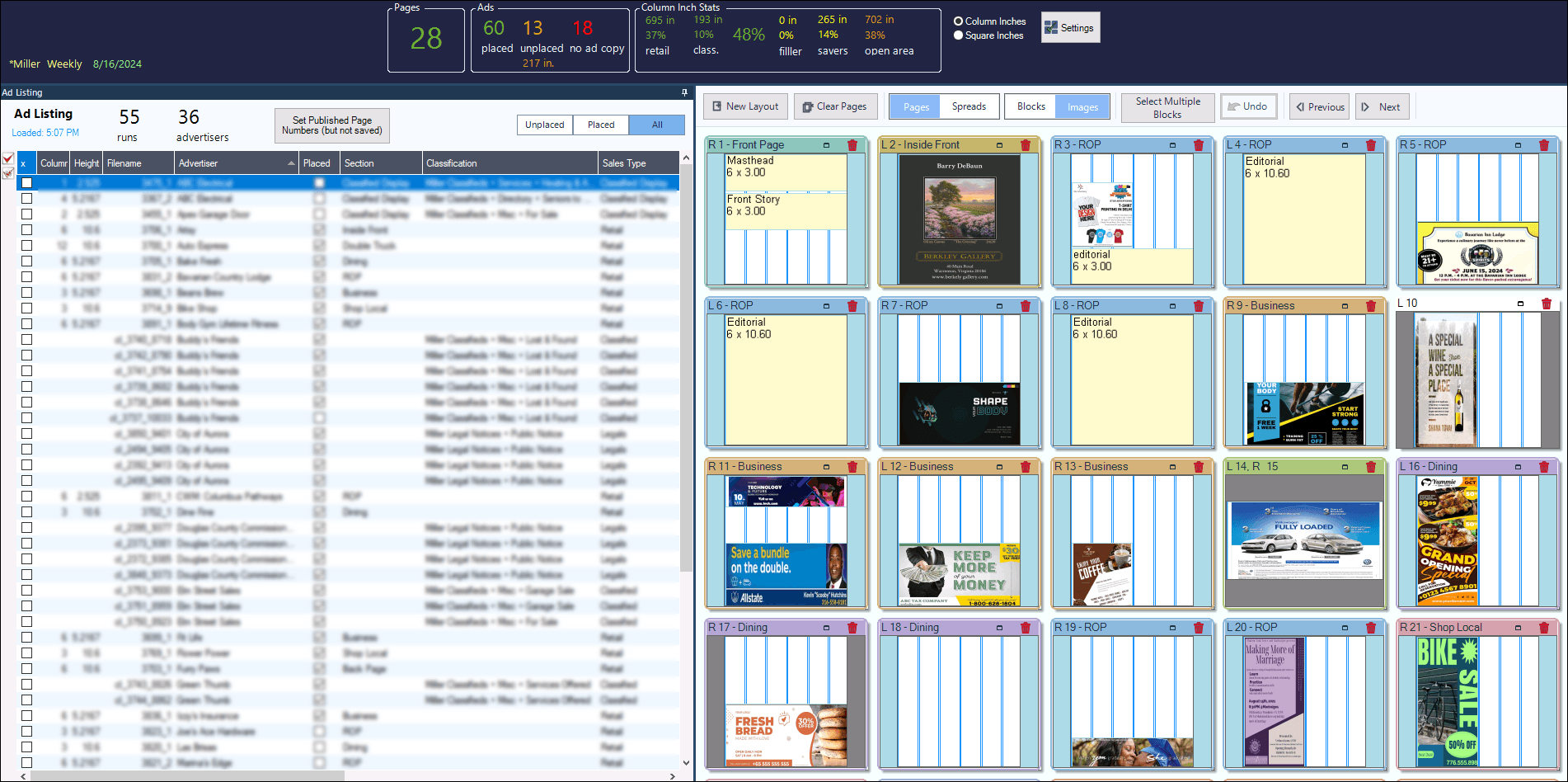
- Auto-place ads by section, color, and percentage fill
- Flow classifieds and legals with formatting rules
- Track missing ad copy and deadline status
How It All Connects
Sales Rep
sells the ad
Production Suite
ProofScout
proofing and approval
AdScout
ad building
PageScout
page layout
InDesign Export
out to the page
Pricing Summary
Most of the Production Suite is included with your AccountScout subscription, with no per-seat fees. Additional InDesign designer pricing is shared during your consultation.
| Item | Price | Notes |
|---|---|---|
| ProofScout | Included | Part of the AccountScout subscription |
| Digital Asset Manager | Included | Part of the AccountScout subscription |
| PageScout | Included | Part of the AccountScout subscription |
| AdScout - 1st designer | Included | Part of the AccountScout subscription |
| AdScout - each additional designer | Contact us | Per InDesign user |
Who It's For
Ad Designers
Accurately sized artboards, organized assets, and clear instructions - fewer mistakes, faster turnaround
Production Managers
Status visibility across every ad, deadline enforcement, and automated pagination
Sales Reps
Proof approval from the dashboard or mobile, with no more emailing PDFs back and forth
Publishers
Page space maximized, fewer late ads, and a clear view of what's on track vs. behind
Common questions about pagination and proofing.
Where this fits
The Production Suite is one part of AccountScout. These are the pieces it hands work to and takes work from.
AccountScout
The platform the Production Suite is part of - CRM, order entry, billing, and reporting on one database
Production and pagination workflow
How a publisher runs the whole production desk, from booked ad to press
Ad design workflow
Specs, assets, and the designer queue, from the designer's side of the desk
Advertiser Portal
Where advertisers review and approve the proofs ProofScout sends them
See It In Action
See the Full Production Workflow in a Live Demo.
We'll walk through order -> design -> proof -> pagination using your actual publications.
FakeBrains.com/contact | 303-791-3301